FamilyAtlas Security and Privacy · free · early access
Free protection for whoever is at the keyboard.
One Chrome and Edge extension for a child, an adult or a grandparent. It stops fake sites, scam pages, camera traps and blackmail threats, explains each one in plain words, and works without an account.
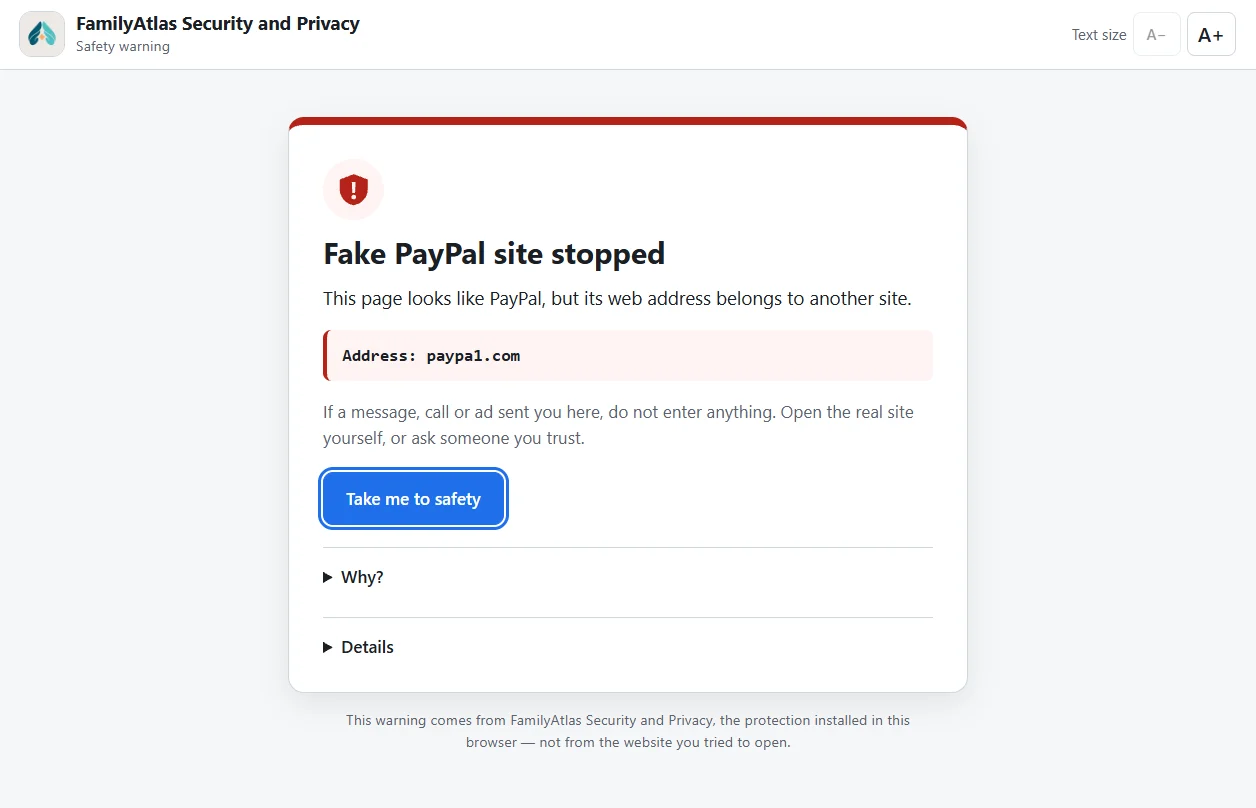
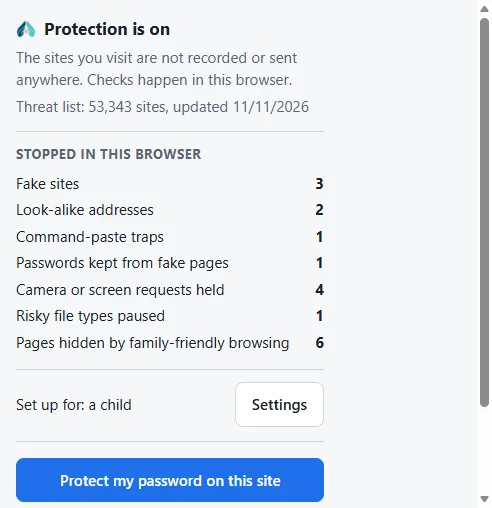
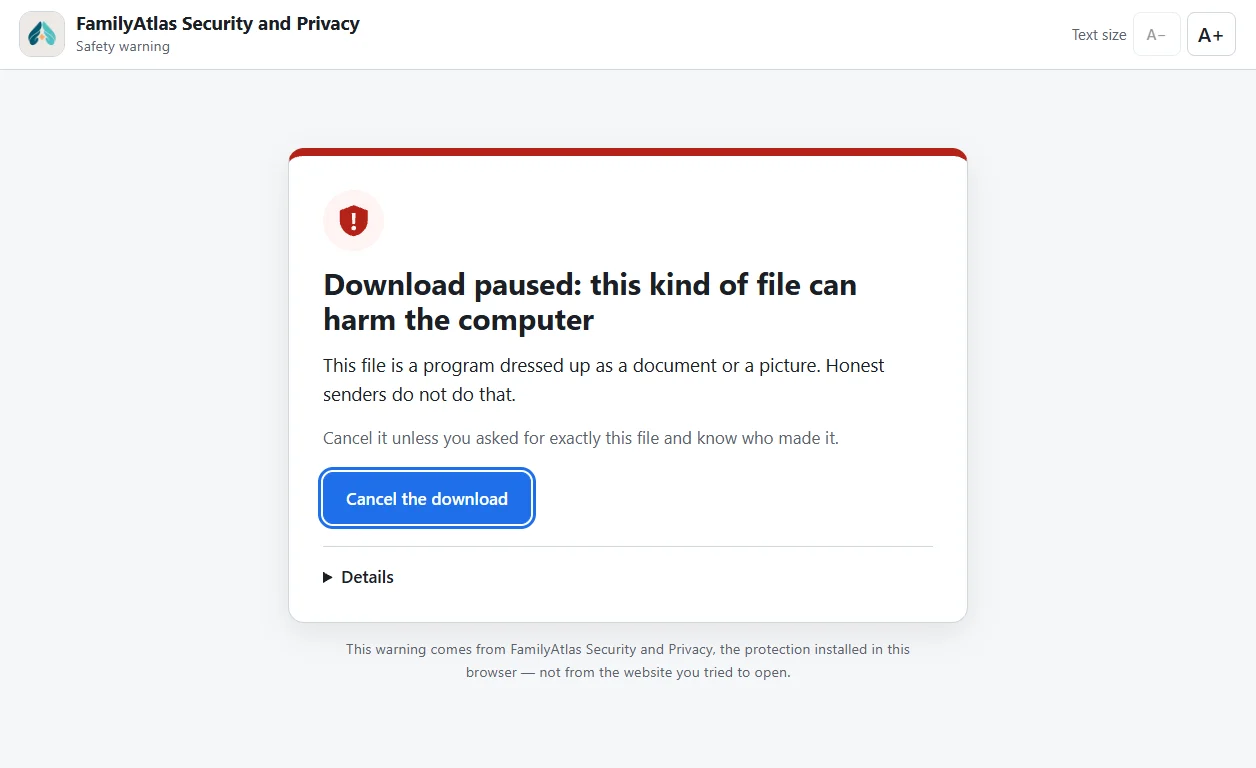
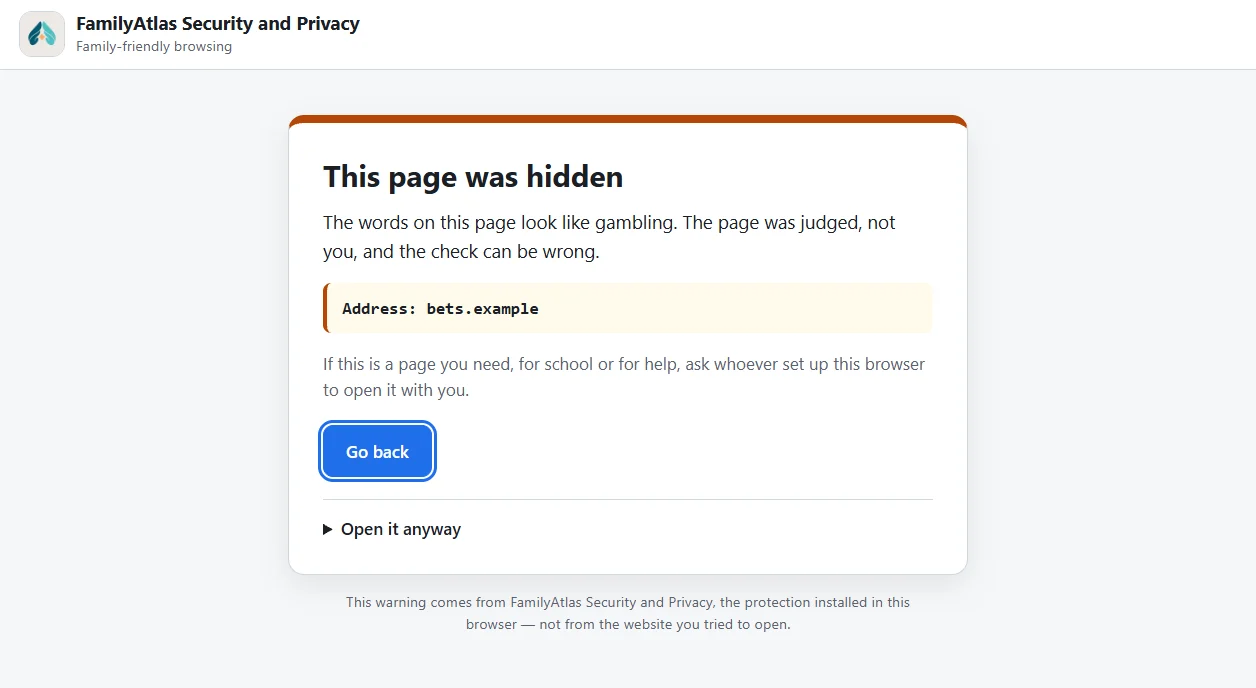
Early access: the extension is not listed in the Chrome Web Store yet. Every screen on this page is a real capture of the extension; the addresses and counts in them are examples.
What it protects you from
Most protection stops at a list of bad sites. This also watches for the trick itself, on pages nobody has listed yet.
01
Fake sites and stolen passwords
A site that imitates your bank, a shop or a delivery company is stopped before you type anything, and the warning says which brand it is copying.
Known fraud and malware sites, checked against a list inside your browser
Look-alike addresses: a digit for a letter, letters from another alphabet, a brand name glued to “login” or “secure”
A password or card number about to leave for the wrong place is held back
A password you chose to protect is deleted if you type it on any other site
02
Scam pages and trick downloads
Some attacks need no fake address at all. They frighten you, or get you to run something yourself.
Fake virus alerts that lock the screen are covered with an explanation and a way out
“Press Win+R and paste this” commands are kept off your clipboard
Remote-control programs a caller asks you to install are paused
Programs disguised as documents, such as invoice.pdf.exe, are paused
03
Your camera, your screen and blackmail
“Turn your camera on” from someone met online is how picture blackmail starts. The extension gives you a moment to think first.
The camera waits for your yes on sites where strangers meet
Screen sharing is held on sites you have not used it on, because whoever sees your screen sees your bank
A message threatening to share a picture unless you pay brings up calm advice: do not pay, keep the messages, who to tell, where to report
04
Traps inside real sign-in pages
Newer scams use the real Google or Microsoft page, so there is no fake site to catch. A reminder appears at the moment it matters.
When an app asks to read your email or files, you are told what saying yes gives away
On pages where a code signs in another device, you are reminded that a code someone read out to you signs in theirs
A card number or secret key pasted into an AI chat assistant is held back once, so it is a choice and not an accident
05
Family-friendly browsing and less tracking
Optional switches for any age. Everything is decided inside the browser; no page and no search is sent anywhere.
Safe search on Google, Bing and DuckDuckGo
Pages about adult content, gambling, drugs, weapons and violence can be hidden; pages about getting help never are
Swear words can be shown with stars
Tracking tags such as fbclid, gclid and utm_ are taken off links
One extension, three ways to use it
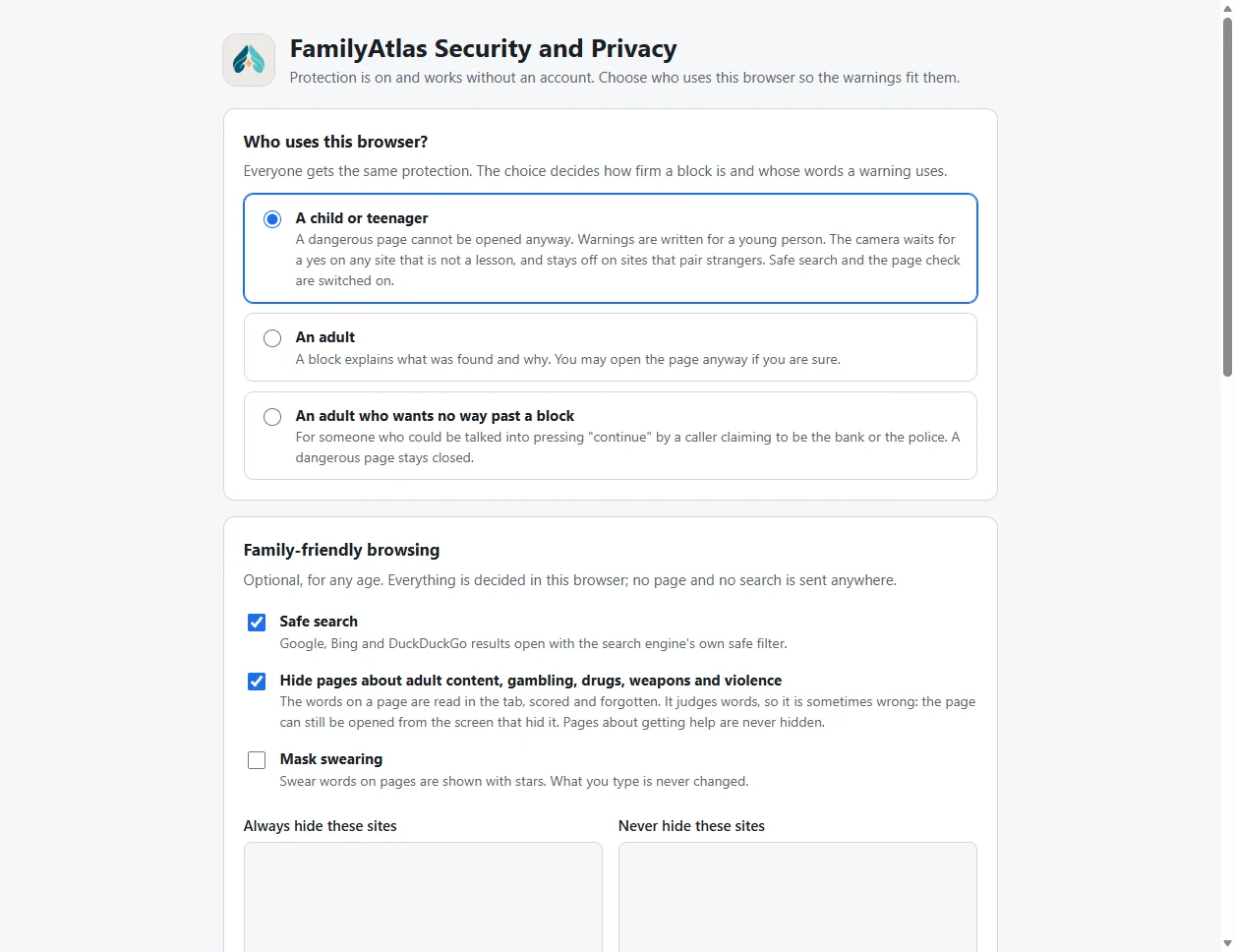
After installing, it asks one question: who uses this browser? Everyone gets the same protection. The answer decides how firm a block is and whose words a warning uses.
A child or teenager
A dangerous page cannot be opened anyway. Warnings are written for a young person. Safe search and the page check are switched on, and the camera waits for a yes outside lessons.
An adult
A block says what was found and why. If you are sure, you can go on, and that choice lasts until the browser is closed.
An adult who wants no way past
For someone who could be talked into pressing “continue” by a caller claiming to be the bank or the police. A dangerous page stays closed.
The settings page. A passcode can lock these choices, which is worth doing on a child's browser.
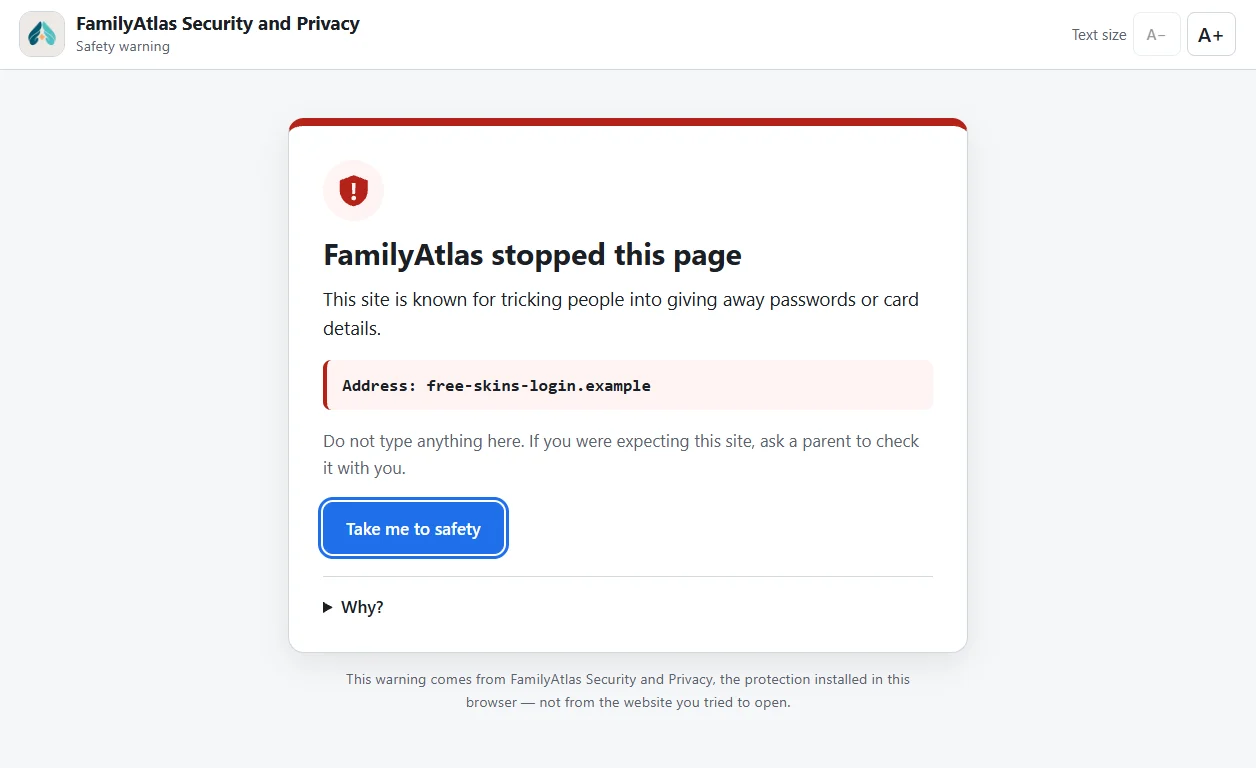
The same block in a child's words, with no way past it.
Privacy
It protects your browsing without keeping any of it.
The only thing the extension ever downloads is the list of dangerous sites, and that request says nothing about you or the page you are on. Every check happens inside your browser.
Yes. There is no account, no subscription and no advertising in it. FamilyAtlas makes it as its contribution to safer browsing; its main product is the family app, which this extension does not need.
Which browsers does it work in?
Chrome and Microsoft Edge on a computer or Chromebook, and other Chromium browsers that accept Chrome extensions. It does not run in phone apps, so a chat inside the Snapchat or Instagram app is outside its reach.
Can a child switch it off?
The passcode locks the settings and the “open it anyway” button on a hidden page. It cannot stop someone removing the extension: only a managed, force-installed browser can do that. If you need to know when protection is removed, use the FamilyAtlas child extension instead.
Will it block sites I actually need?
Sometimes a check is wrong. An adult can always go on after reading why; a hidden page can be opened from the screen that hid it. Pages about getting help, such as a helpline, are never hidden.
Does it replace antivirus or the browser's own protection?
No. It works beside them. It adds checks they do not make, such as look-alike addresses registered an hour ago, camera requests and blackmail threats, and it explains each one.
What it cannot do
A second pair of eyes, not a promise.
No tool catches every scam. A site made an hour ago may be on no list yet, the camera check is a pause rather than a lock, and nothing here reaches a phone app. The warnings are there so the moment of doubt arrives before the mistake, not after it.
PayPal, Google, Microsoft, Snapchat, Instagram, Bing and DuckDuckGo are trademarks of their owners and are named only to describe what the extension checks. FamilyAtlas is not affiliated with them.
 FamilyAtlas