 FamilyAtlas
Fresh, old or not reported — always clear
Old readings are labelled as history. A linked device that has not reported a battery level stays visible without an invented percentage.
See the charge. Keep the connection.
Check reported battery levels across linked family phones and computers. Choose a shared low battery alert level and see when each device last reported.
FamilyAtlas is coming soon. Battery reporting is being checked on supported devices before public release.
 Example reading · not live device data15%
Last reported battery
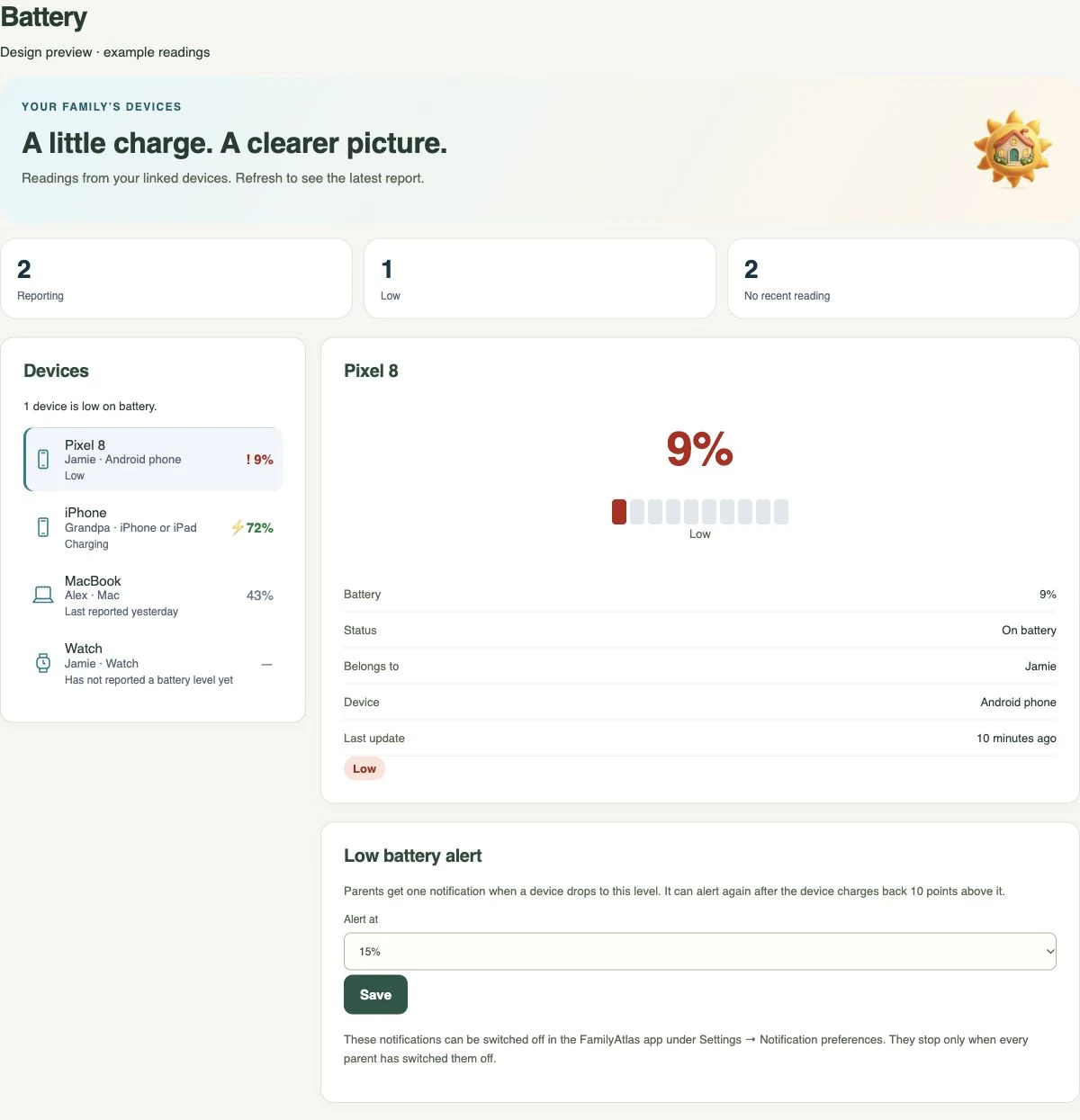
A phone running low should not come as a surprise. See the last reported percentage, charging status and measurement time together.
Open Manage > Battery in the parent app, or Battery in the web dashboard. Choose the family alert level there.
Old readings are labelled as history. A linked device that has not reported a battery level stays visible without an invented percentage.
Choose 5% to 50%, in steps of 5. The household shares one threshold. A device alerts once when it reaches that level and re-arms after reaching 10 points above it.
Other parents see an adult’s battery only when device health is shared. “Me” profiles limit access to the person and their chosen recipients.
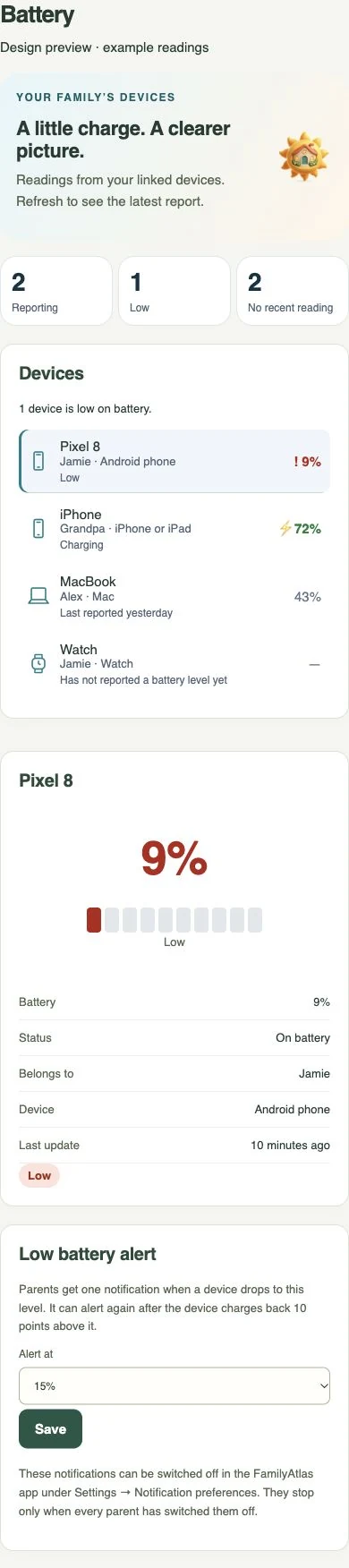
Real interface previews with example readings. The interface shown is in English.
No. A connection to Brume 2 alone does not report battery levels. This page uses reports from linked devices; it does not guess a battery percentage from network activity.
No. Battery readings arrive with existing device health reports and desktop heartbeats. Opening or refreshing the page reads what the server has. There is no remaining-hours estimate.
Device support and permissions affect reporting. Notifications need connectivity and may be delayed; this is not an emergency guarantee.
Check device support →
FamilyAtlas is coming soon. Join the email list and we’ll let you know when early access opens.