 FamilyAtlas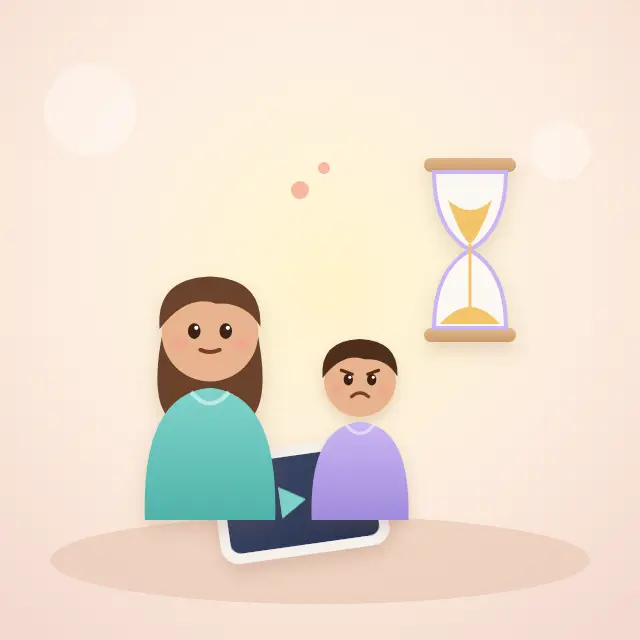
A meltdown when the screen goes off is common, and it is not proof that your child is “addicted”. Pediatric guidance from the American Academy of Pediatrics explains two drivers: stopping something enjoyable feels bad, and sometimes a screen was keeping boredom or distress away, so those feelings return when it ends. Many apps and video services are also designed to keep children watching, with autoplay and endless feeds.
Most families see fewer fights when the end is predictable rather than negotiated: agree the rule with the child in advance, stop at a natural break such as the end of an episode or level, switch off autoplay, have the next activity ready, and let a timer or device setting announce the end. During a meltdown, stay calm, use few words and keep the limit. Talk to your pediatrician if meltdowns are frequent despite thoughtful limits, or if screens are affecting sleep, eating, friendships or the ability to cope with boredom.
American Academy of Pediatrics (HealthyChildren.org): Screen Time & Temper Tantrums: Helpful Tips for Parents · American Academy of Pediatrics (HealthyChildren.org): Helping Kids Thrive in a Digital World: AAP Policy Explained
The parent concern
Parents dread the moment screen time ends, start giving in to avoid the fight, and then worry that the anger means something is wrong with their child.
Why ending screen time feels so hard for children
The AAP’s parent guidance describes what happens in plain terms: doing something enjoyable such as a game or video releases dopamine, a brain chemical linked with positive feelings, and when the activity stops, that feeling drops. For a child who has not yet learned to manage disappointment, the drop can arrive as tears, shouting or a refusal to hand over the tablet.
The same guidance points to a second cause that is easy to miss. Sometimes screen use is not about pleasure but about avoiding boredom, worry or frustration. When the screen goes away, the feeling it was covering comes back. That is why a child who was tired, hungry or anxious before watching can seem to fall apart afterwards.
The AAP’s 2026 guidance also asks families to look beyond minutes alone. It notes that features such as autoplay, endless scrolling and targeted ads are not built with children’s well-being in mind. A show that ends cleanly is a very different stopping point from a feed that never ends.
American Academy of Pediatrics (HealthyChildren.org): Screen Time & Temper Tantrums: Helpful Tips for Parents · American Academy of Pediatrics (HealthyChildren.org): Helping Kids Thrive in a Digital World: AAP Policy Explained
Build the rule before the screen is on
The AAP says children and teens find it easier to accept limits when there are common-sense rules in place, especially if they have a voice in creating them. Agree when screens are used, for how long, and what happens at the end at a calm moment — not at the moment you are asking for the tablet back.
A written Family Media Plan, which the AAP offers as a free online tool, helps because the rule belongs to the family rather than to a parent’s mood that day. The plan can include screen-free times and places, such as meals, homework and the time before bed.
Expect some protest when a new rule starts. The Child Mind Institute notes that children may be moody and angry for the first few days, advises avoiding exceptions during the first week or two, and says children usually adjust within that time.
American Academy of Pediatrics (HealthyChildren.org): Screen Time & Temper Tantrums: Helpful Tips for Parents · American Academy of Pediatrics (HealthyChildren.org): How to Make a Family Media Plan · Child Mind Institute: How to Set Limits on Screen Time
Screen Time Across Two Homes: How Divorced or Separated Parents Can Set Digital Rules
Choose stopping points that actually stop
End on a natural break: the end of an episode, a level or a match, not the middle of something. Raising Children Network suggests planning the next routine, such as bath time, for when a game level or TV show ends, and giving the child time to save what they are doing.
Switch off autoplay on streaming services so the next episode does not start automatically. Common Sense Media and the AAP’s media plan guidance both recommend this, because a cliffhanger followed by a countdown to the next episode turns every ending into a negotiation.
For games, ask the child how long a round or match usually lasts and set the limit around it. Agreeing “two matches” is often easier to keep than “thirty minutes” when a match can run over.
Common Sense Media: How do I put a stop to screen time without causing a meltdown? · Raising Children Network (Australia): Managing screen time: children 3-11 years · American Academy of Pediatrics (HealthyChildren.org): How to Make a Family Media Plan
Warnings, timers and device reminders
Many children cope better with a clear warning. Raising Children Network suggests telling a child when there are ten minutes left, and the Child Mind Institute describes countdowns such as twenty, then ten, then five minutes, followed by praise when the device is handed over.
Warnings do not suit every child. Common Sense Media notes that little children often do not understand a five-minute countdown, and that some children react better without advance warning, possibly because the warning has become the signal for a fight. Try one approach for a week and watch what happens, rather than assuming.
A neutral reminder can take the parent out of the argument. The AAP suggests letting the device remind children when it is time to stop. On Android, Google Family Link sends the child a notification when the device is about to be locked, and a parent can add bonus time from the Family Link app without changing the daily limit. A timer on the kitchen counter works for TVs and consoles that have no built-in warning.
Raising Children Network (Australia): Managing screen time: children 3-11 years · Child Mind Institute: How Can We Help Kids With Transitions? · Common Sense Media: How do I put a stop to screen time without causing a meltdown? · American Academy of Pediatrics (HealthyChildren.org): Screen Time & Temper Tantrums: Helpful Tips for Parents · Google Family Link Help: Manage your child’s screen time
iPhone Screen Time Limits Aren’t Working — What Parents Should Check
Make the next activity worth moving to
The AAP calls this “trading up”: moving from one favorite activity to another the child likes even more. A snack, a game with a parent, a trip to the park or a bath with a favorite toy is easier to move toward than “nothing”.
For older children, the AAP suggests physical options such as running or shooting baskets. The Child Mind Institute recommends building an “activity menu” with your child, so that the next activity is their choice from a short list rather than a chore announced by you.
American Academy of Pediatrics (HealthyChildren.org): Screen Time & Temper Tantrums: Helpful Tips for Parents · Child Mind Institute: How to Set Limits on Screen Time
What to do during the meltdown
The AAP’s advice is to take a breath first, keep language minimal and hold the limit. A child in the middle of a meltdown cannot think through a lecture. A short sentence that names the feeling and repeats the rule — “I know it’s hard. The tablet is going away now.” — is enough.
Offer a quiet place to calm down, and if your child wants to hit or throw, direct that energy into something safe and physical. Once they are calm, reconnect warmly and move to the next activity. Talking about what happened, and what might help next time, works better later than in the moment.
Avoid reopening the deal to end the noise. If the meltdown wins extra time, children learn that the next meltdown might work too.
Your own phone is part of the rule
The AAP notes that children of all ages resent limits that adults do not follow themselves, and suggests acknowledging it when you slip — for example, apologising for texting during a conversation and putting the phone away. The Child Mind Institute adds that children are more likely to put screens aside without a fight when parents set aside their own screens at agreed times.
Shared screen-free times, such as dinner or the drive to school, make the rule feel fair rather than aimed at the child.
American Academy of Pediatrics (HealthyChildren.org): Screen Time & Temper Tantrums: Helpful Tips for Parents · Child Mind Institute: How to Set Limits on Screen Time
Gaming, older children and when to get help
Older children and teens may resist limits even more strongly, especially around games designed to keep players playing. The AAP lists warning signs of unhealthy gaming, including being obsessed with gaming and becoming sad, irritable or anxious when gaming is taken away, alongside practical steps such as a family media plan and keeping gaming in shared rooms.
Talk to your pediatrician if meltdowns are frequent even when limits are handled thoughtfully, if screen use is affecting sleep, hygiene, eating or friendships, if your child cannot cope with boredom or frustration without a screen, or if they are withdrawing from family and friends. Frequent, intense anger can have causes beyond screens, and a professional can help look at the whole picture.
American Academy of Pediatrics (HealthyChildren.org): Unhealthy Video Gaming: What Parents Can Do to Prevent It · American Academy of Pediatrics (HealthyChildren.org): Screen Time & Temper Tantrums: Helpful Tips for Parents
How to Manage Screen Time Across Phones, TVs, Game Consoles and VR
What you can do right now
- Agree the screen rule with your child at a calm moment.
- Turn off autoplay and plan endings at natural breaks.
- Try a warning or a timer for a week and see which works.
- Have the next activity ready before the screen goes off.
- Stay calm, use few words and keep the limit during a meltdown.
A way to start the conversation
“I know it’s really hard when the show ends — it’s hard for me too sometimes. Let’s decide together how screen time will end, so it doesn’t have to be a fight every day.”
A suggested script to adapt, not a clinical intervention.
What technology cannot solve
Device timers and lock screens can announce the end, but they cannot teach a child to cope with disappointment. Built-in warnings vary by device, app and operating system, and TVs and consoles may have none. No setting replaces an agreed rule and a calm parent.
Questions parents ask
Is it normal for my child to melt down when screen time ends?
It is common. AAP guidance explains that stopping something enjoyable, or losing a distraction from boredom or worry, can bring a strong reaction.
Do countdown warnings help?
Often, but not always. Very young children may not understand countdowns, and some children react better without one. Test one approach consistently.
Should I take the device away as a punishment for the meltdown?
Keep consequences agreed in advance and proportionate. During the meltdown, focus on calm and the existing limit rather than new penalties.
When should I talk to a pediatrician?
If meltdowns stay frequent despite thoughtful limits, or screens affect sleep, eating, friendships or coping with boredom.
Will the fights ever stop?
Usually they ease once a rule is predictable. The Child Mind Institute says children typically adjust to a new rule within a week or two.
Sources and review
Provider documentation explains settings and eligibility. Professional guidance provides context, while our suggested family strategies are labeled separately. FamilyAtlas’s device and release limits are stated above.
- American Academy of Pediatrics (HealthyChildren.org) — Screen Time & Temper Tantrums: Helpful Tips for Parents guidance · checked 2026-10-05
- American Academy of Pediatrics (HealthyChildren.org) — Helping Kids Thrive in a Digital World: AAP Policy Explained guidance · checked 2026-10-05
- American Academy of Pediatrics (HealthyChildren.org) — How to Make a Family Media Plan guidance · checked 2026-10-05
- Child Mind Institute — How to Set Limits on Screen Time guidance · checked 2026-10-05
- Common Sense Media — How do I put a stop to screen time without causing a meltdown? guidance · checked 2026-10-05
- Raising Children Network (Australia) — Managing screen time: children 3-11 years guidance · checked 2026-10-05
- Child Mind Institute — How Can We Help Kids With Transitions? guidance · checked 2026-10-05
- Google Family Link Help — Manage your child’s screen time fact · checked 2026-10-05
- American Academy of Pediatrics (HealthyChildren.org) — Unhealthy Video Gaming: What Parents Can Do to Prevent It guidance · checked 2026-10-05
Next source review: 2027-01-05. Menus, eligibility and rollouts can change; follow the linked provider instructions if your screen differs.
Written by FamilyAtlas; product descriptions are not independent product recommendations. No claim of medical or psychological review is made.
Keep working through the problem

How Much Screen Time Should a 10-, 12- or 14-Year-Old Have?
Is there a recommended daily number of hours for my 10-, 12- or 14-year-old?
Read the guide
Phone at Night: Should Kids Keep Their Phones in Their Bedrooms?
My child says the phone is an alarm clock. Should it stay in the bedroom?
Read the guide
How to Manage Screen Time Across Phones, TVs, Game Consoles and VR
Our child reaches the phone limit, then switches to the TV or console. How do we make one plan?
Read the guide
iPhone Screen Time Limits Aren’t Working — What Parents Should Check
Is this a broken limit or a setting that allows more time?
Read the guide